
How to get the emergency key for a Porsche 911 (992.1 model)
A while ago, I found myself in a situation where I might have to open the doors of a 992.1 Porsche 911 using an emergency key, which is a metal sub-key (also known as an emergency mechanical key or physical key) that is used to physically unlock the doors in an emergency when the smart key cannot be used.
Examples of times when you might need to do this would be if the battery in your smart key is dead or if, for some reason, the door won't open using the smart key button or keyless entry.
This time, I found myself in that situation with a 992.1 Porsche 911.
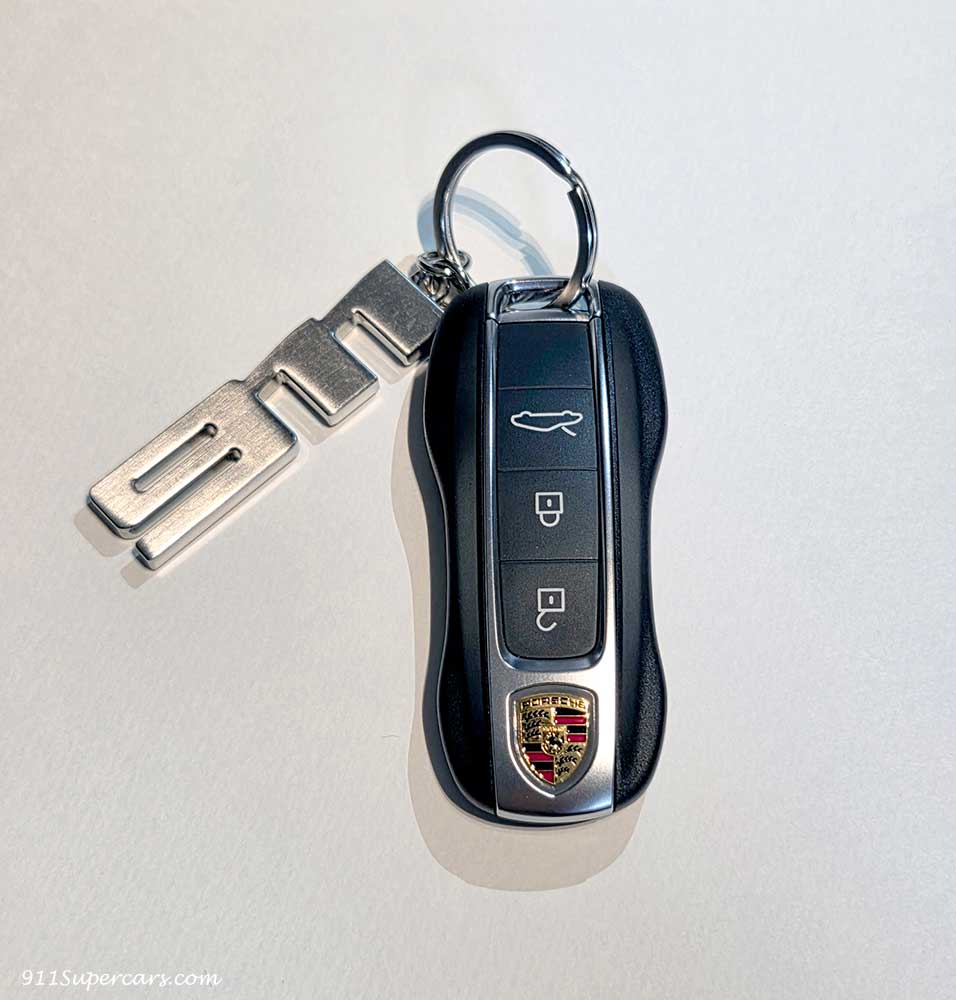
I had the same problem this time, so I would like to double-check how to get the emergency key so that I don't get into trouble in an emergency.
First, turn the key over and you'll see that there's a spot on the tip that makes you think, "Oh, maybe I should be able to open this."
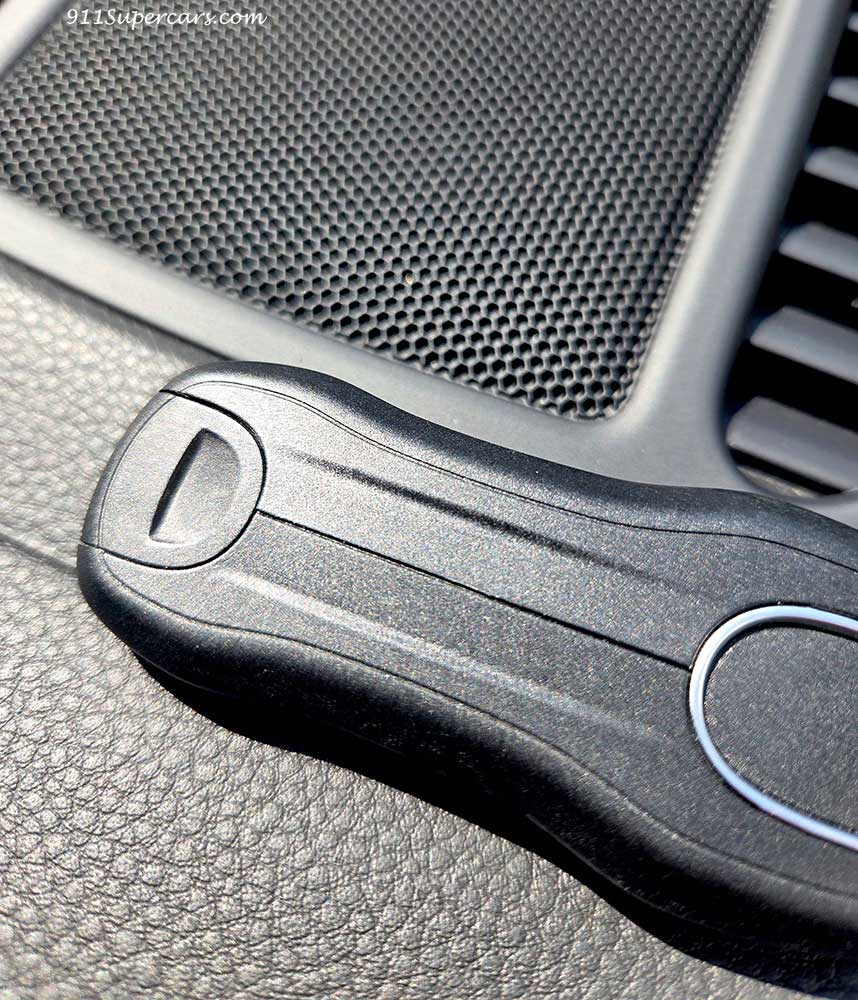
However, this snag that makes you think "I should be able to open it from here" is so tight that even if you try to open it with your fingers, it won't open at all, and if you're a woman, if you try to open it with your fingernails, you might end up breaking your nails.
As I stood in front of the tip of this key, which I couldn't open at all, I thought, "Hmm, what should I do?"
Huh.
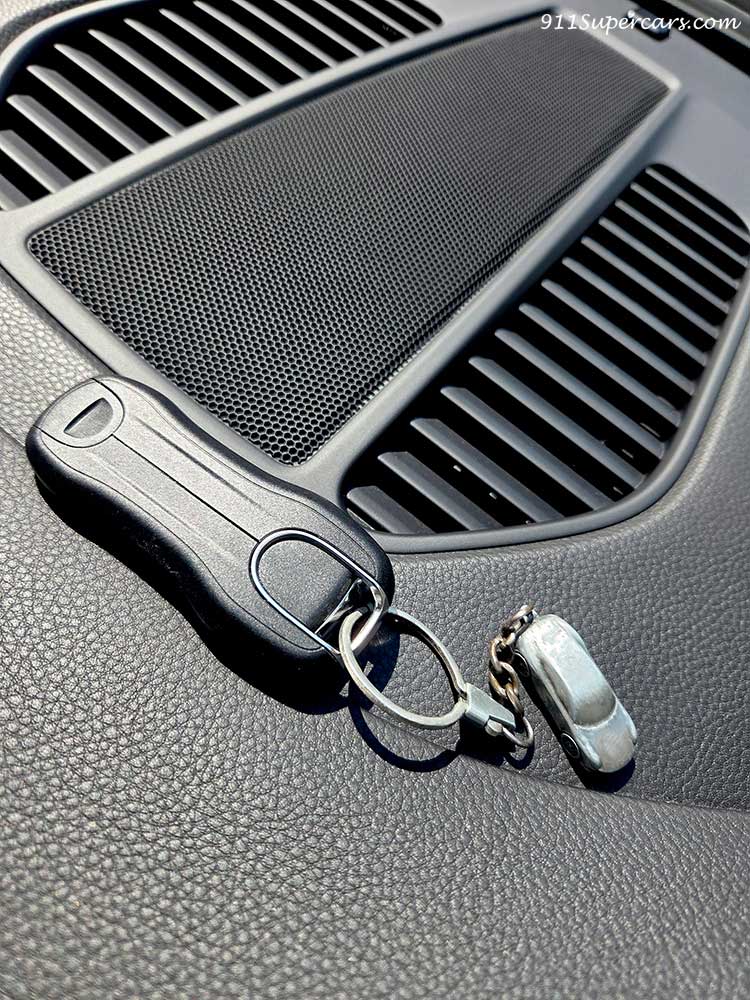
Yes, the key to my 992.1 model came with a Porsche key chain shaped like a Porsche 911.
As soon as I realized that...
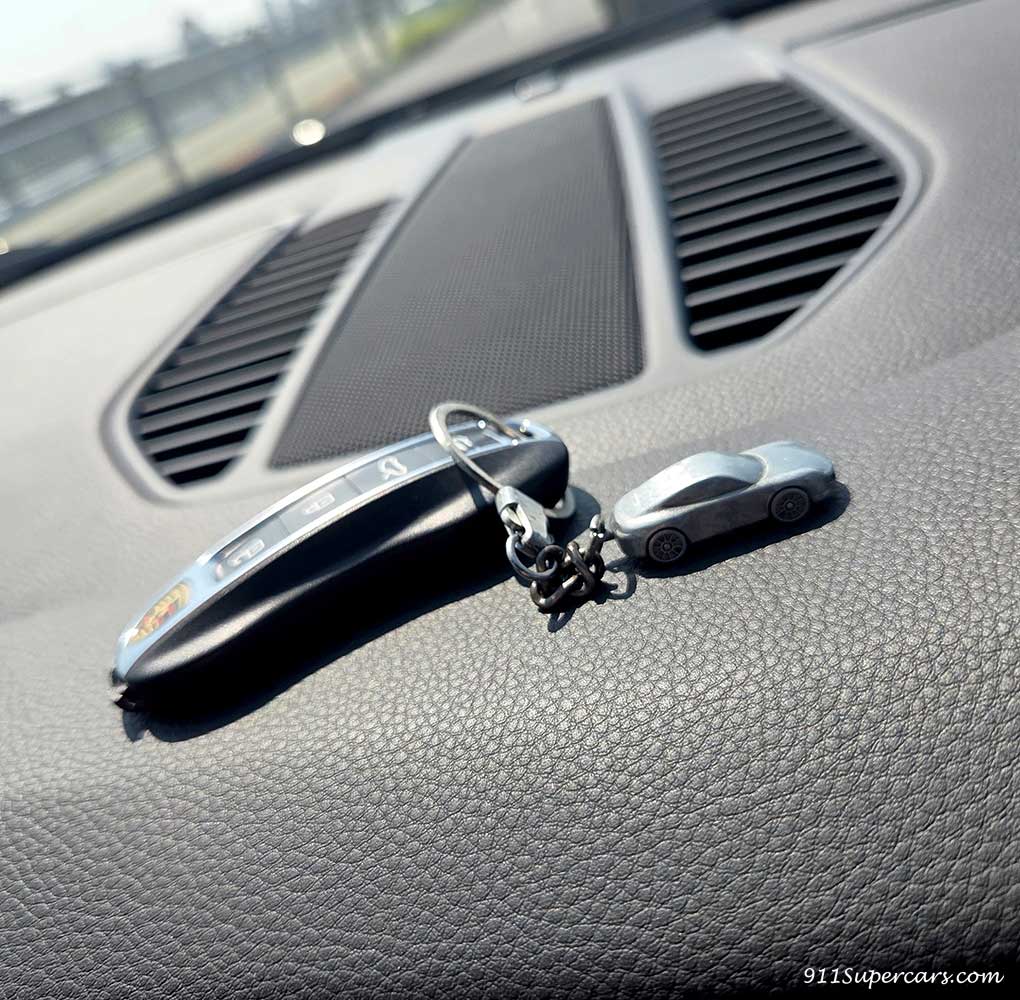
I couldn't believe it, but I tried fitting this 911 key holder into the groove at the top of the key.
Wow.
Is this what people call a "Cinderella fit"?
Amazingly, the front part of the 911 key holder fit perfectly into the groove of the key.
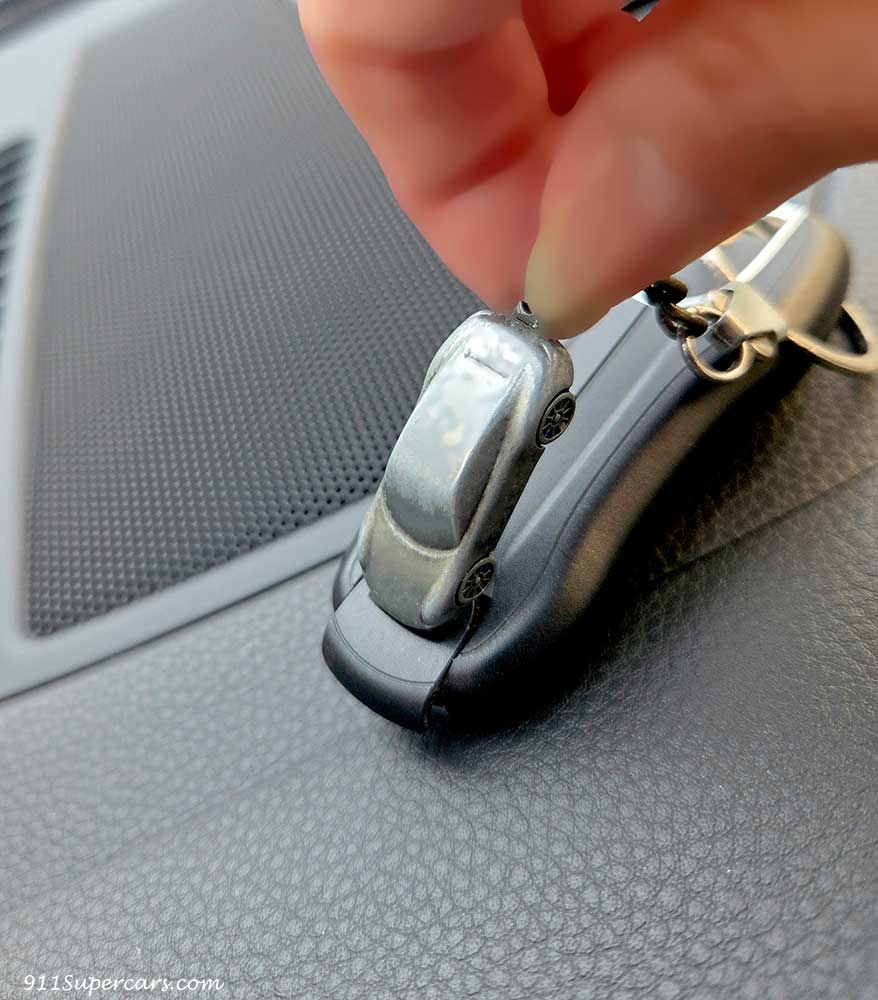
When I pressed this groove with this Porsche 911 key fob, it opened easily.
Amazing. This keychain is a great product that can be used in such an emergency. As expected from Porsche. The products they make are so efficient (probably not intentionally (lol)).
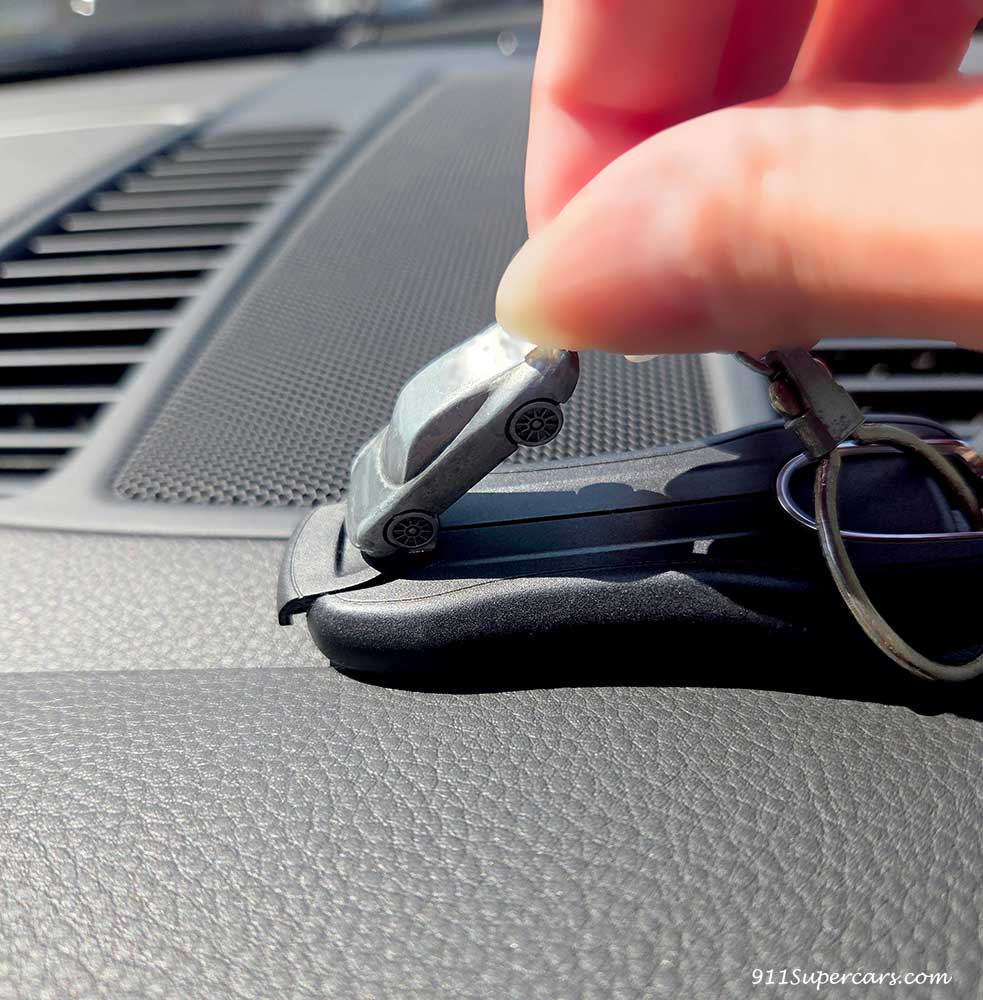
If you have this keychain, you can open it in one go.
If you don't have one... well, a coin might scratch it, but try using a coin sandwiched between some kitchen paper or tissue, or something else that fits this shape to open it.
Then, the physical key will come out from the smart key like this.
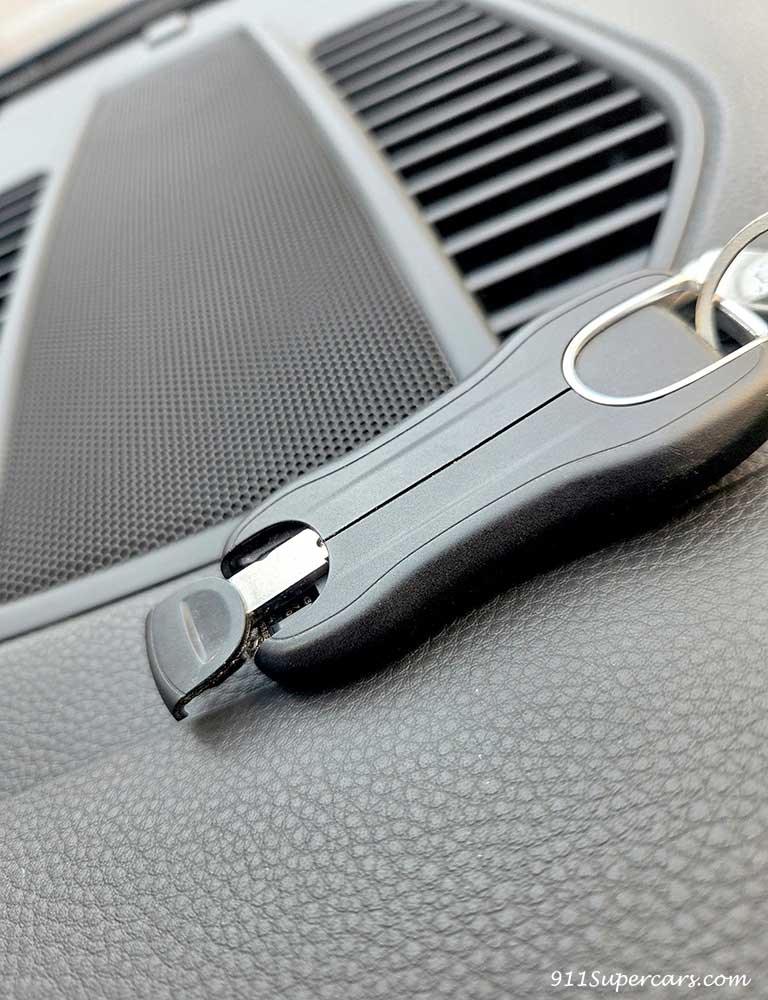
Just pull this out and you're good to go.
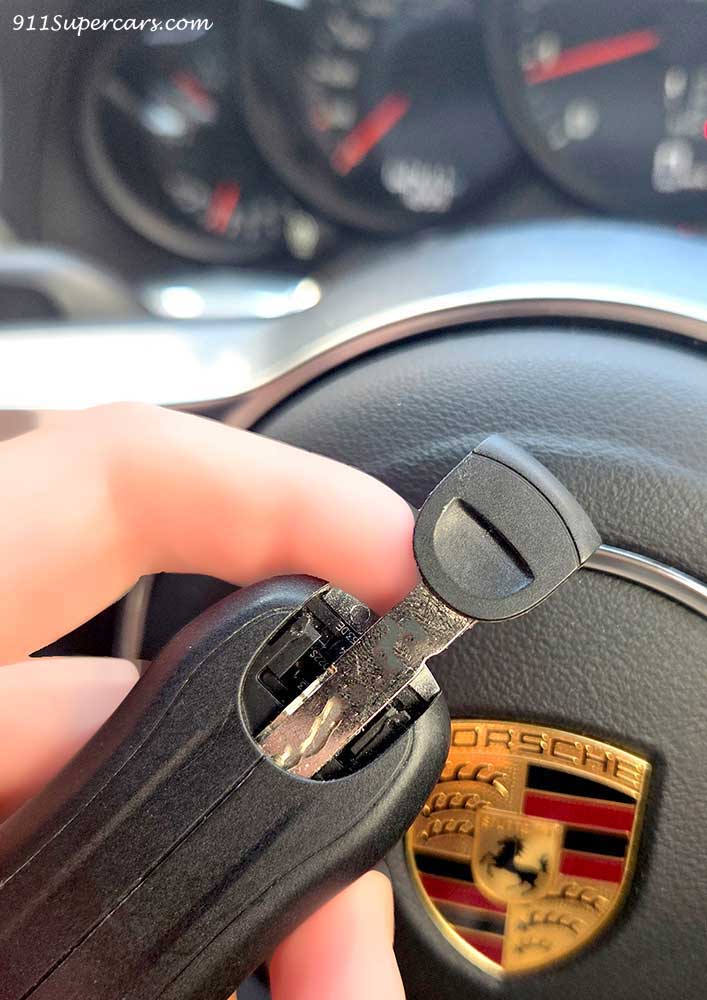
Well, I love this Porsche 911 keychain so much that I have two of them, but I never thought it would help me in this way, so I'm grateful for the 911 keychain, which is not only cute but also practical.

By the way, when trying to open the car door from the outside with this physical key (emergency key), if you just lift the door handle of the 992 model...
In this way, the door handle cannot be raised all the way, and the physical key cannot be inserted straight in (the door cannot be opened).
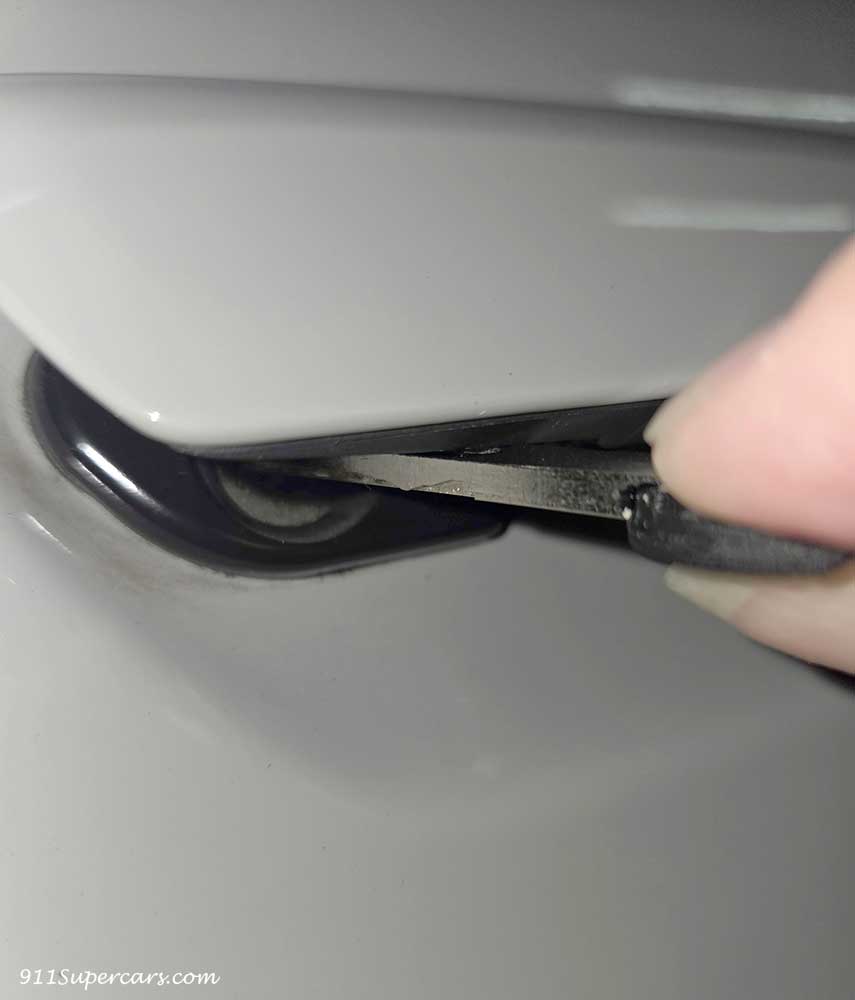
But don't give up now, just go ahead and lift the doorknob up a little more. This will lift the doorknob up even higher.
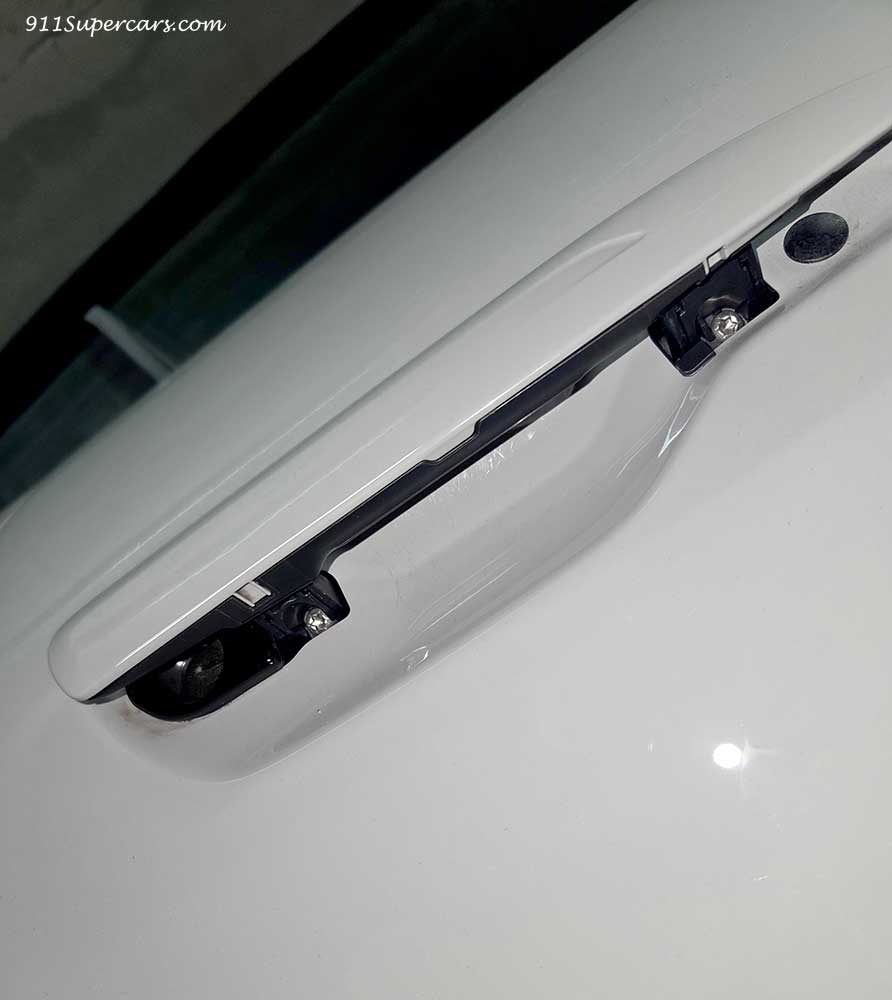
At first I was scared and couldn't do this, but if I didn't do it boldly, they wouldn't let me press the keys.
I was feeling a bit anxious and tried to take out the emergency key, but in my case the problem was resolved and I no longer had to use the emergency key, so I was glad.
However, I think it was good that I had the experience of how to use it just in case.
How to replace the key battery in a Porsche 911 (992.1 model)
So far, I've been talking about how to get the emergency key out, but now another 992.1 model has started displaying a warning that the key battery is low, so next I'd like to write about how to replace the key battery.
I'm sure there are many people who have already replaced the battery themselves, but I hope this will be of some help to those who have never replaced the battery themselves.
The 992.1 type key uses a CR2032 battery, so first prepare this battery.
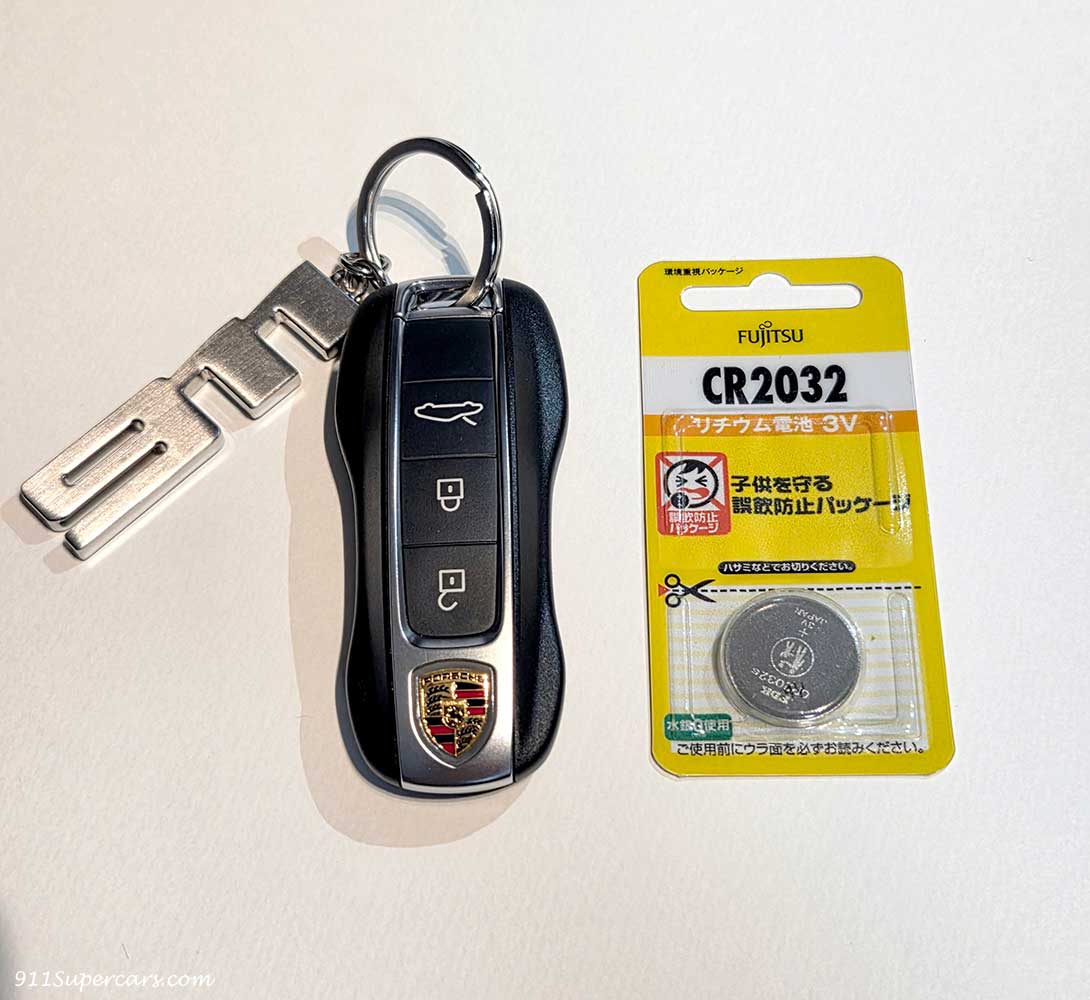
Yes, and here again the Porsche 911 shaped keychain that we mentioned earlier came in handy.
This time, the battery was running low on the key with the key chain with the letter "911" on it, so to replace the battery in this key, I also used a key with a 911-shaped key chain (which at the time was attached to a 991.2 model key).
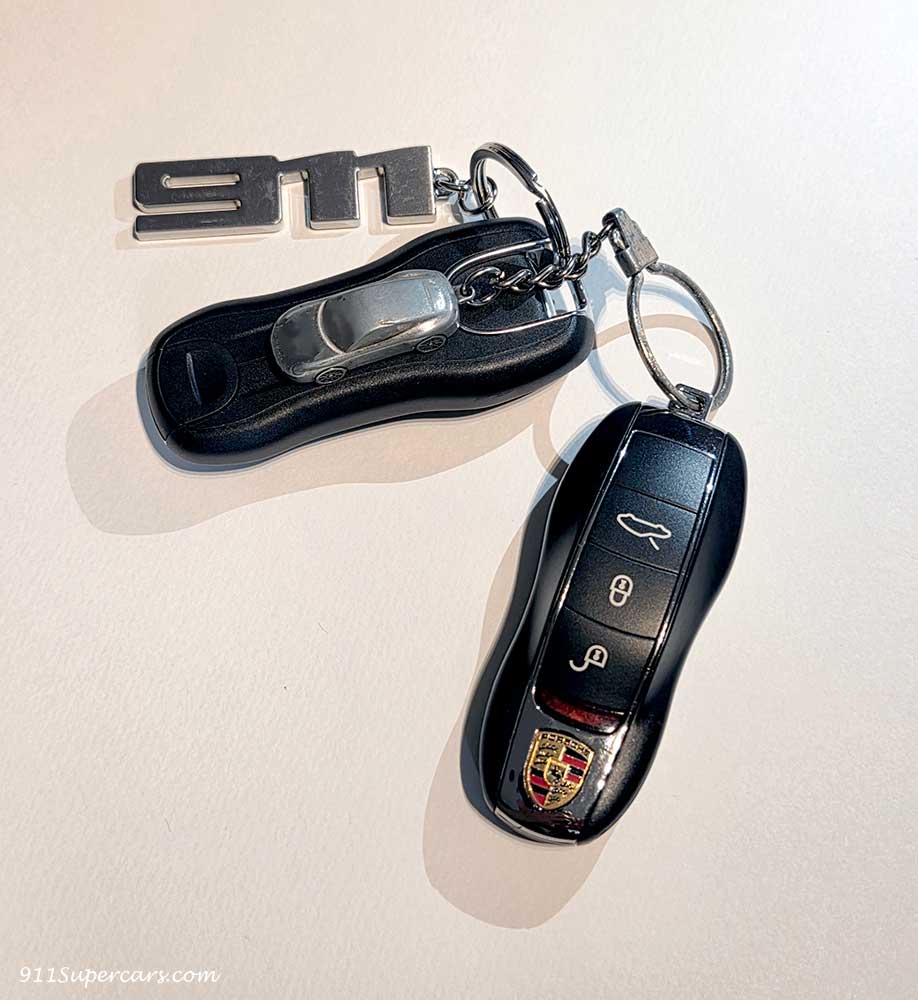
This is because, to replace the key battery, you need to open the tip of the key, just like when removing the emergency key.
So, let's open this first.
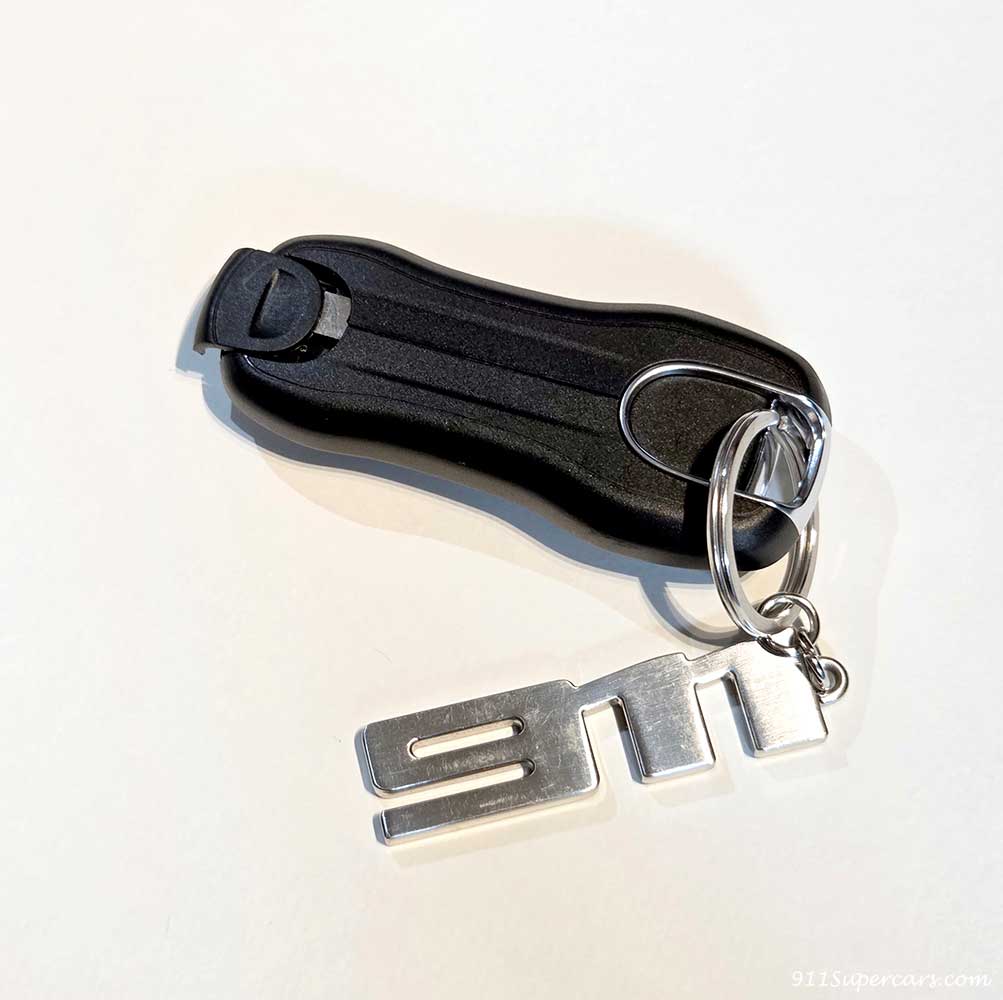
Remove the emergency key.

Put the emergency key aside for now.
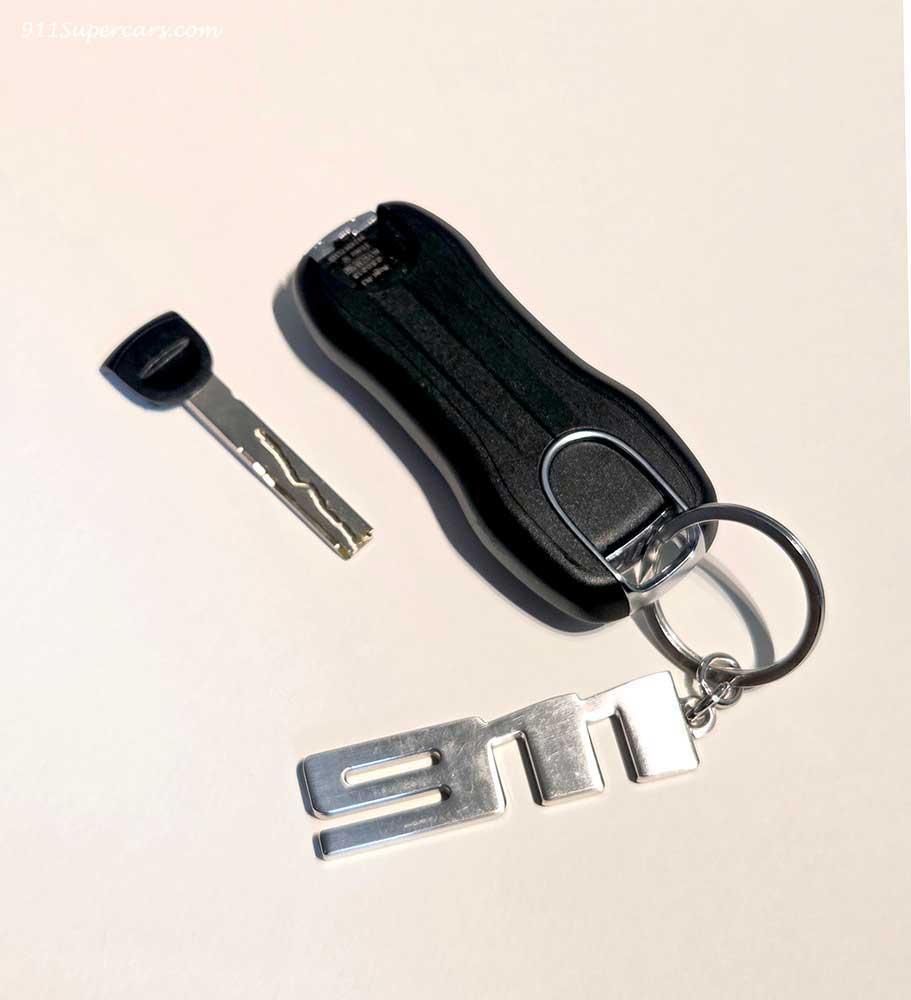
Next, remove the right side of the key body (you can also start from the left side, of course).
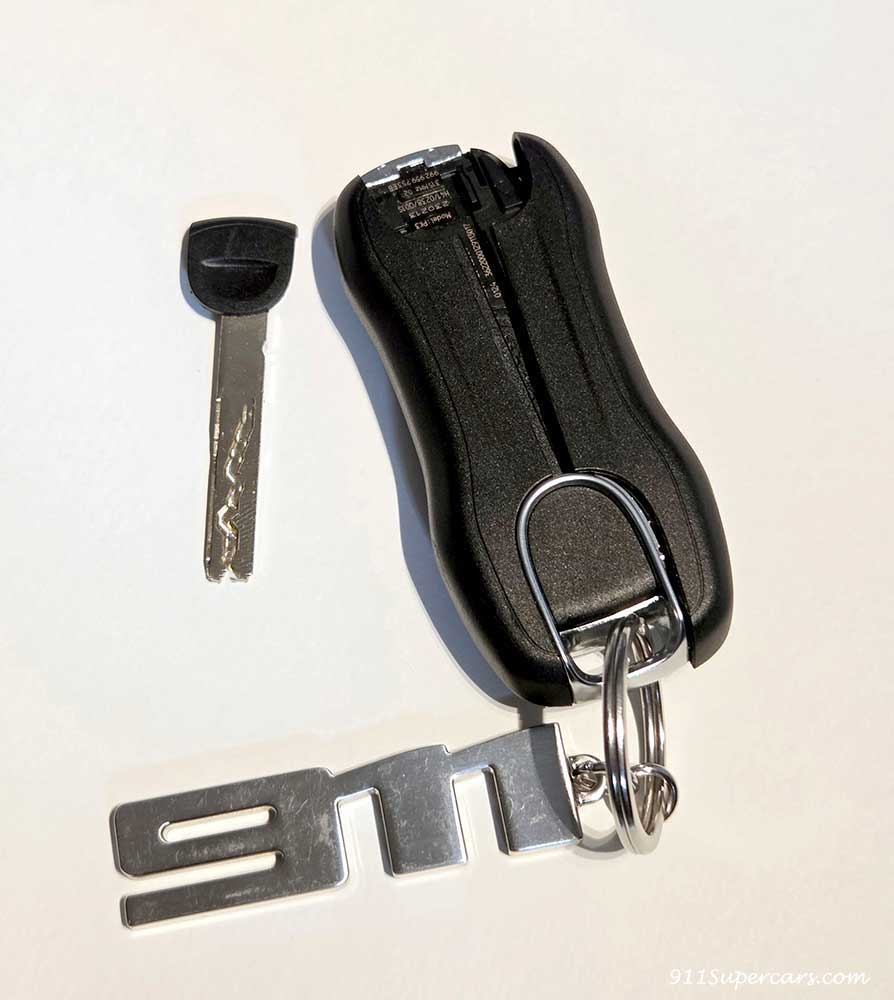
The right side can be removed by pulling the right part to the right.
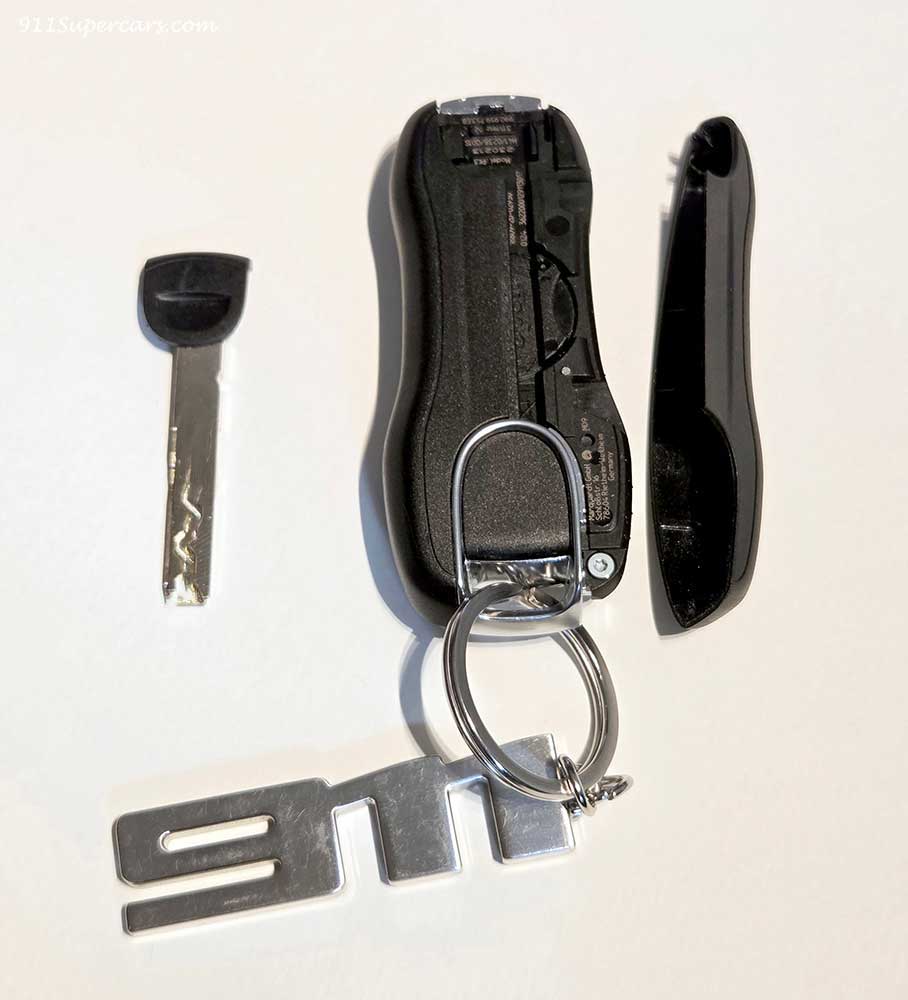
Next is the left side.
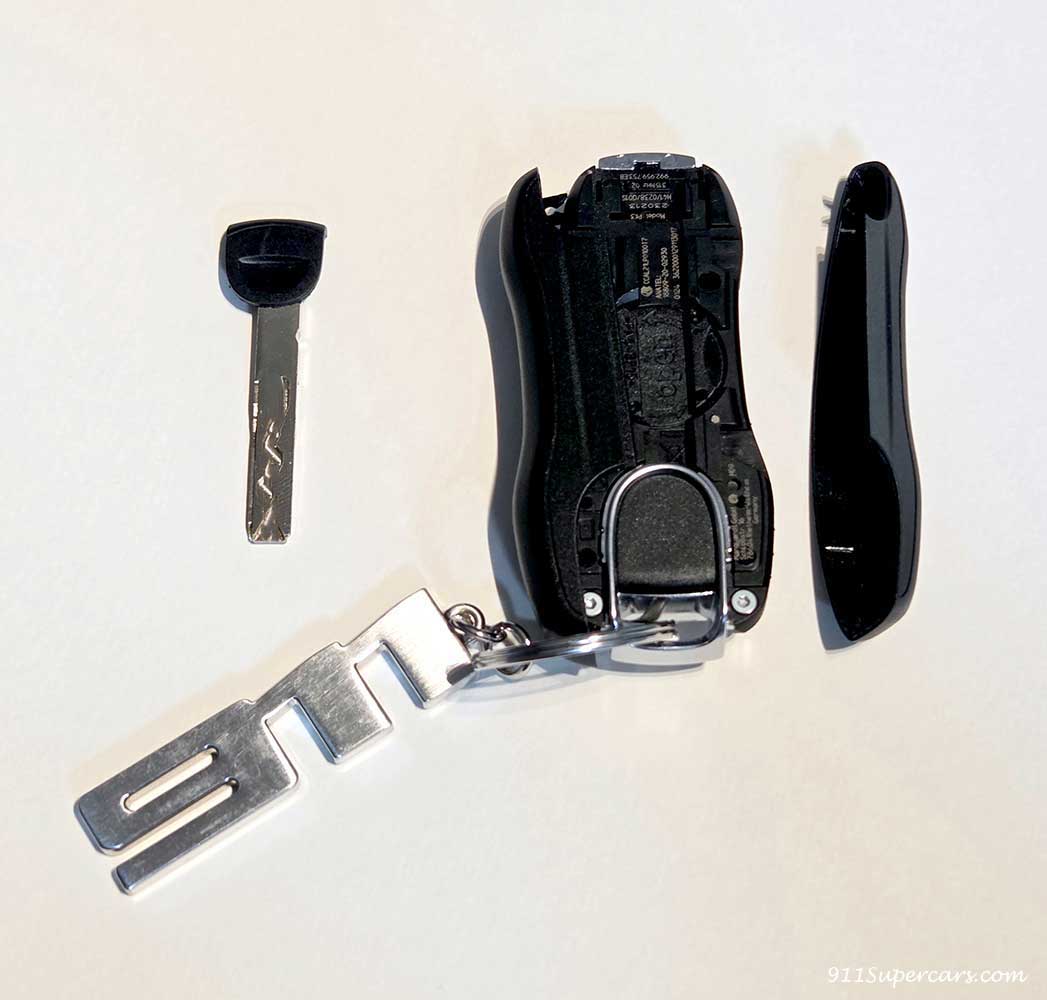
This can also be removed by pulling the left part to the left.
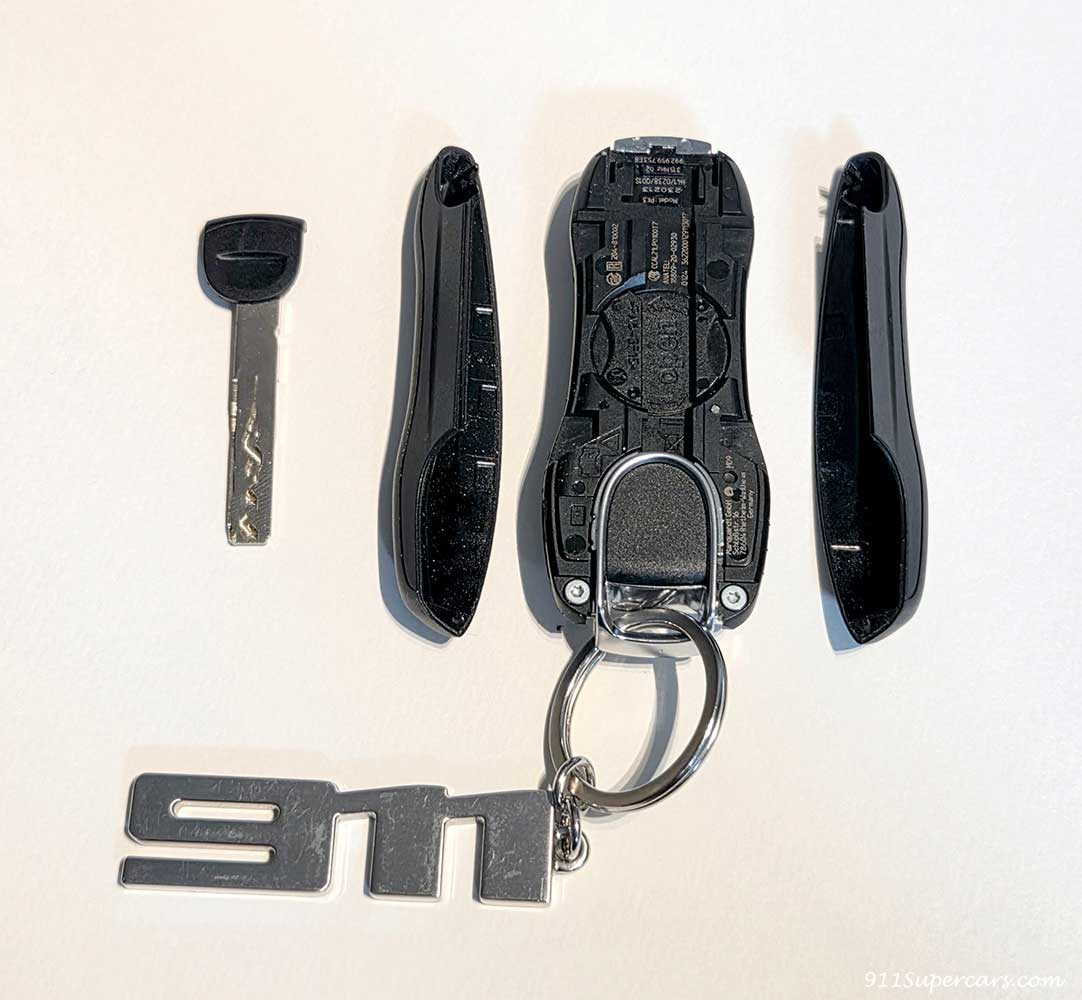
Once you get to this point, the emergency key that you removed earlier will come back in.
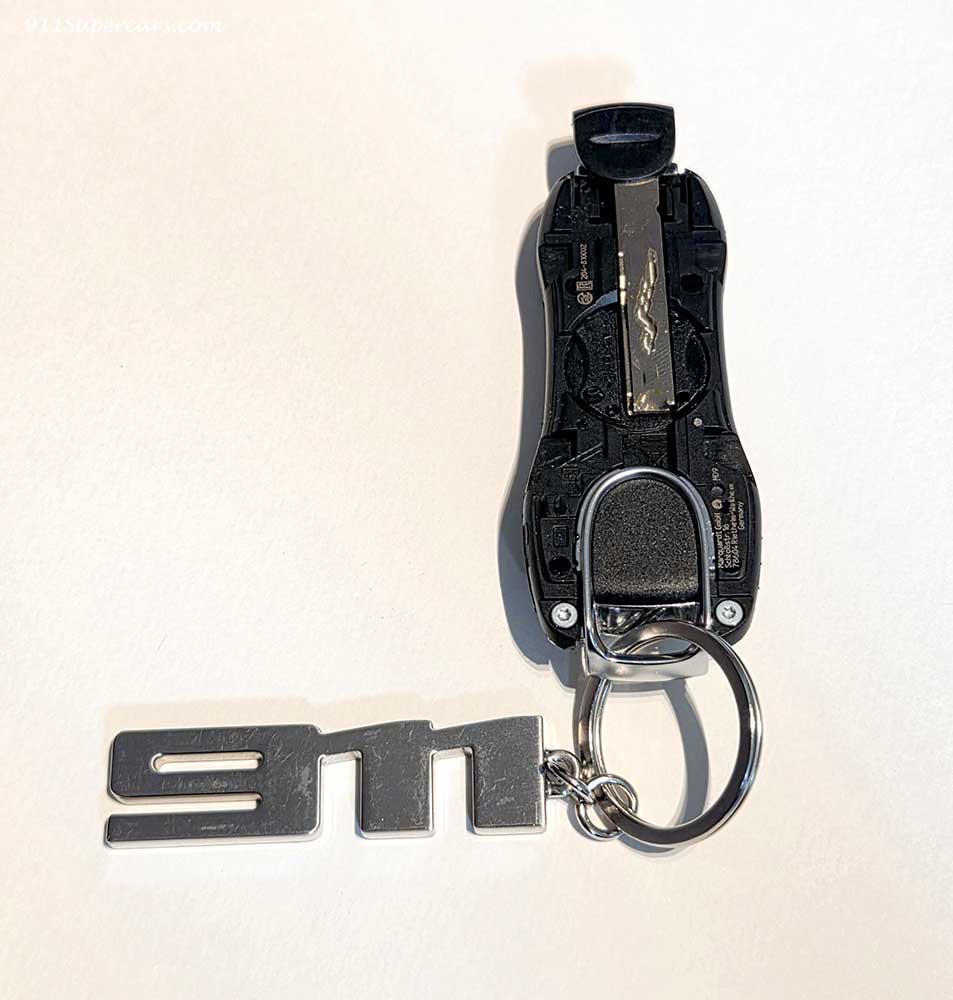
However, this emergency key is quite sticky, so it may be better to use tissue or something similar to avoid getting your hands dirty or feeling uncomfortable.
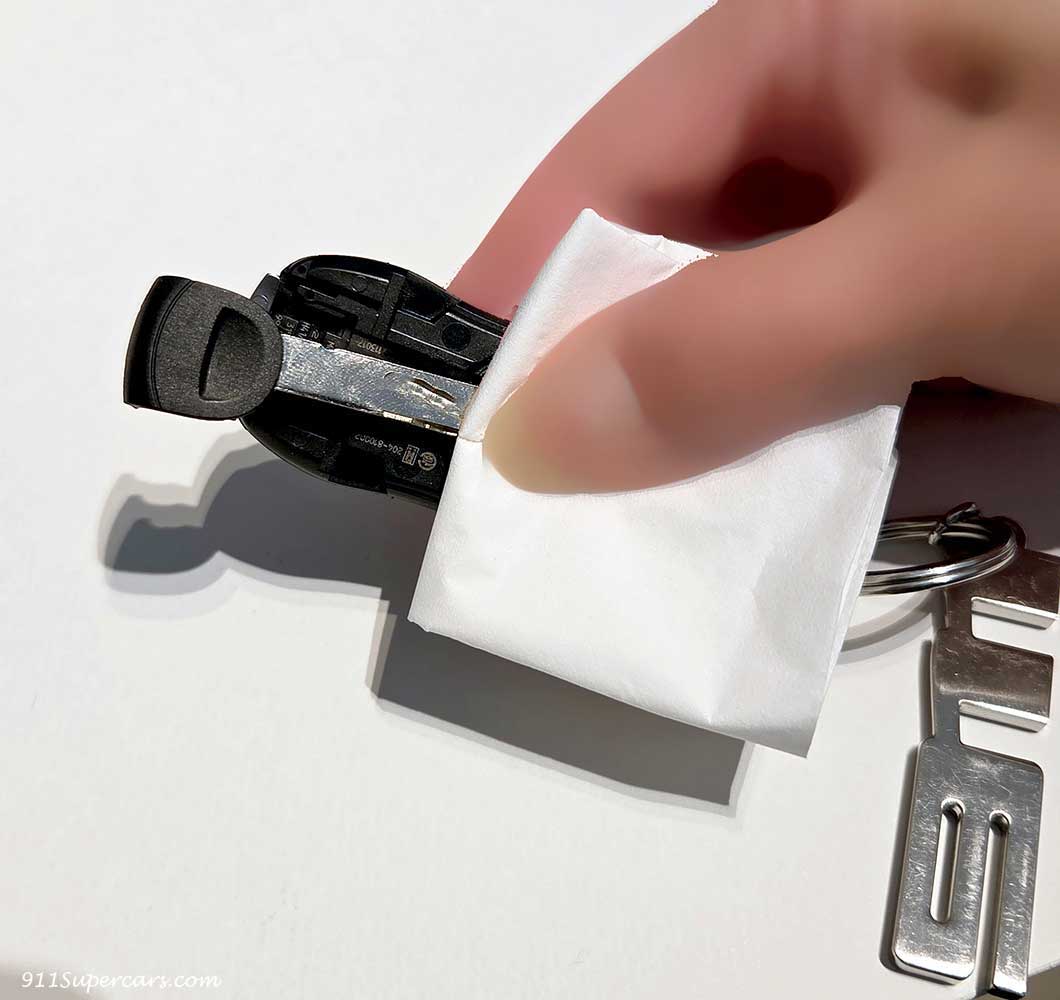
Using this emergency key, place the key on the round part in the center of the key where the battery is likely to be located and rotate it slightly.
This step was a bit difficult for me, as I'm not very good with hands. You have to press down on the physical keys and turn them, but if you do it too much, the metal will scratch the device.
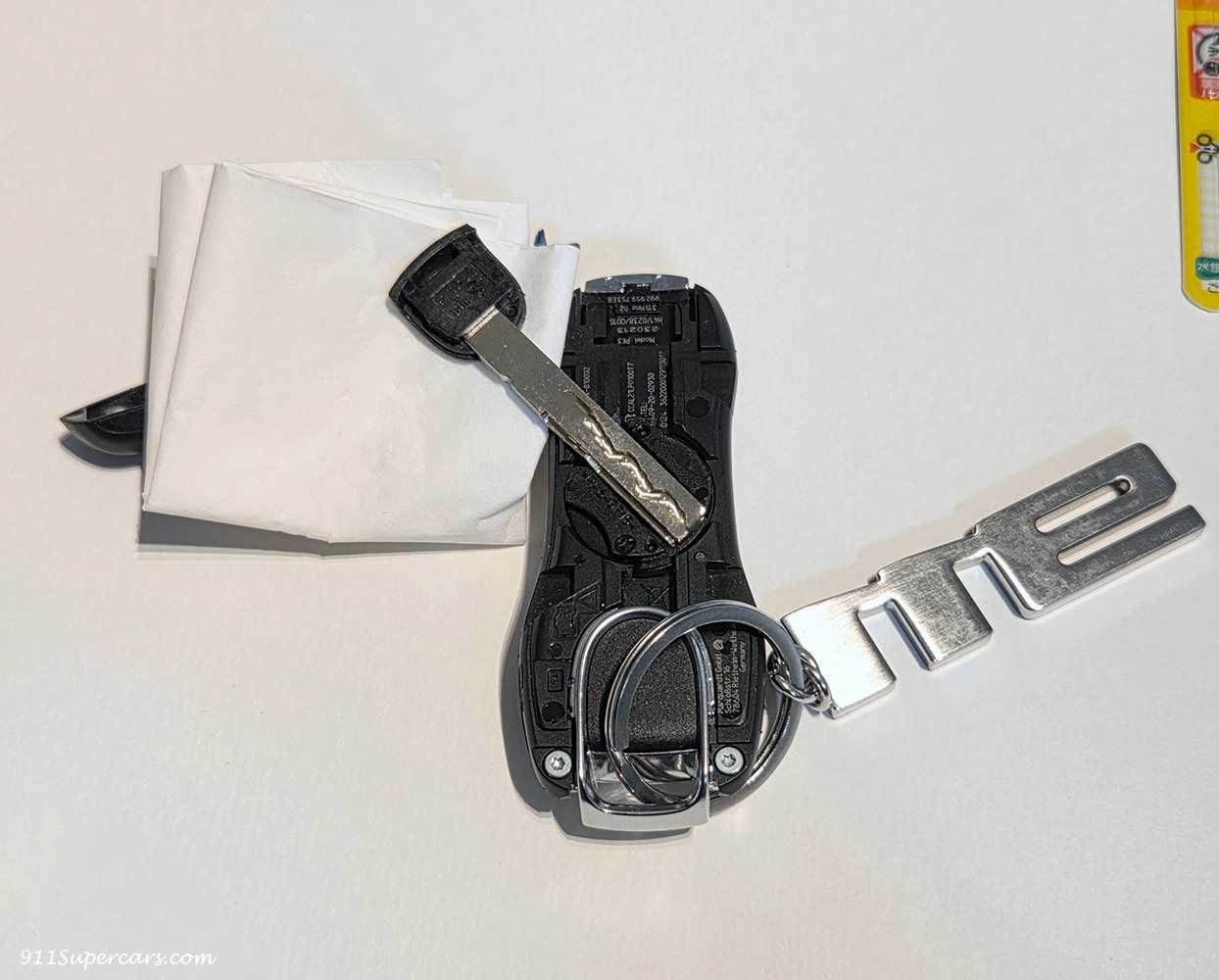
Once you turn it, the cover comes off and the battery appears!
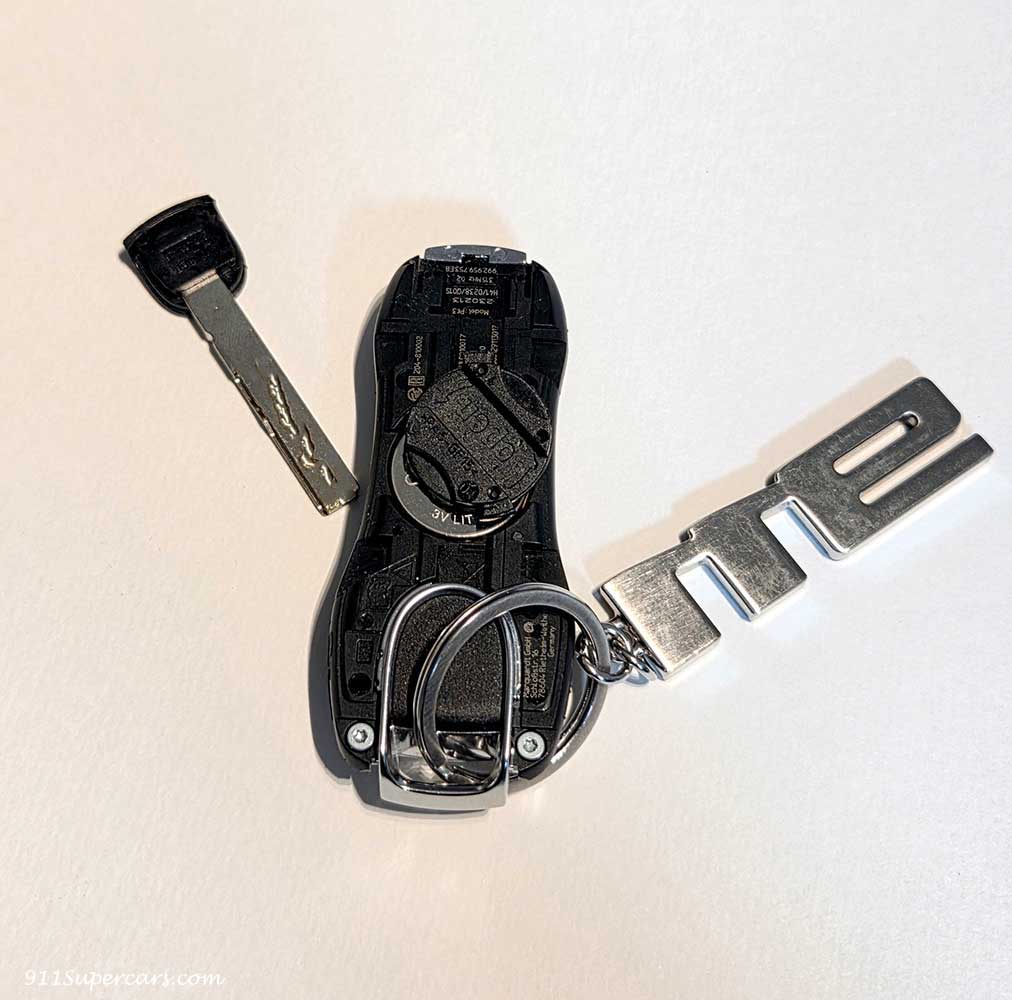
Once you get here it looks like this.
After removing the emergency key and taking out the left and right parts, the emergency key was used again to remove the battery cover in the center of the key.
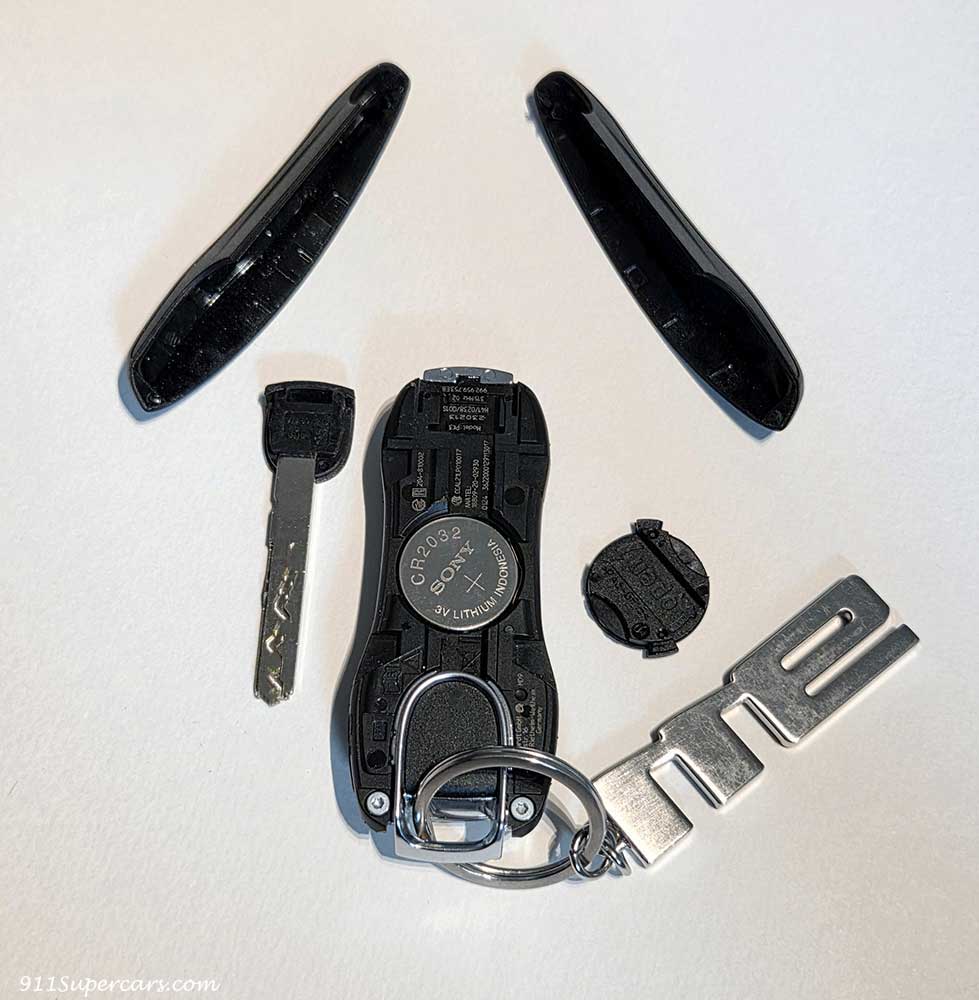
Now that you can see the battery, remove it and replace it with a new one.

After replacing the battery, first close the battery cover and then reverse the steps you have just done.
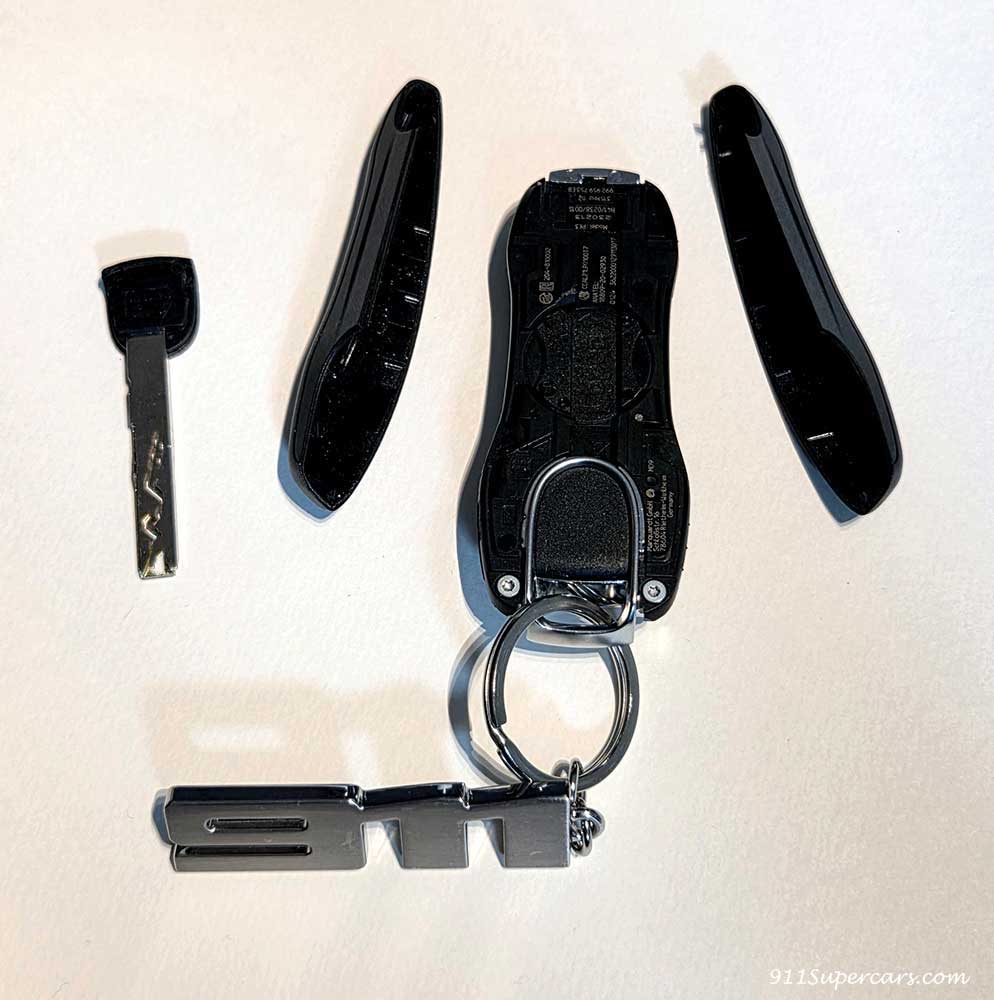
Next, we will install these left and right parts while being careful of the small parts.
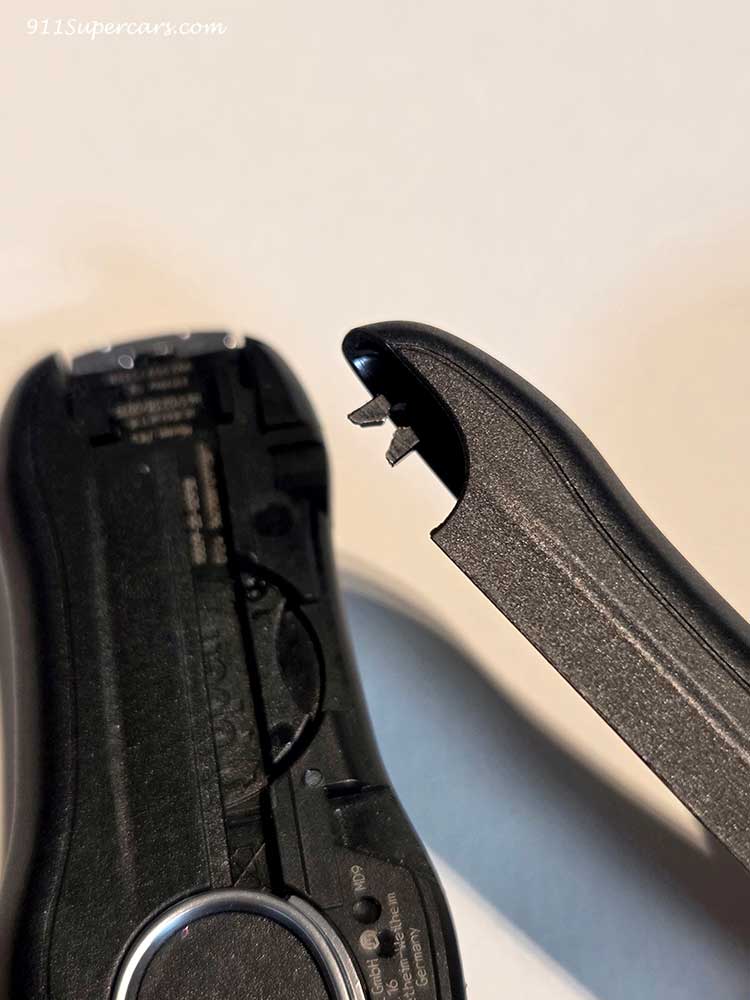
And finally, put the emergency key back in place...
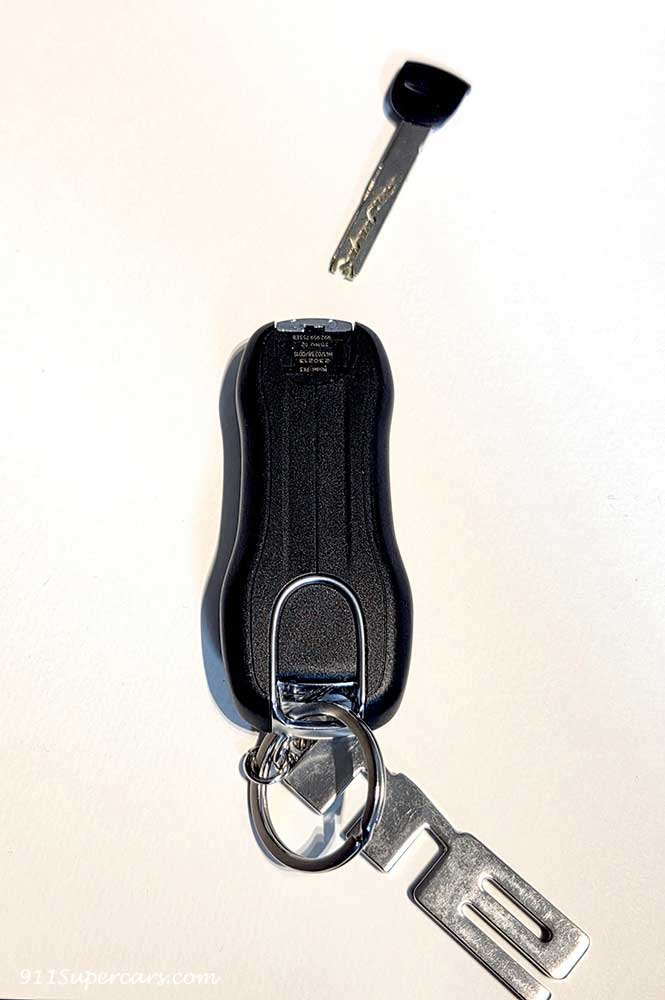
Completed!
When you press the key, you will see that it is working properly (on the 992.1 model, the crest around the key will glow red, indicating that the key and the car are communicating, meaning the battery has been restored).
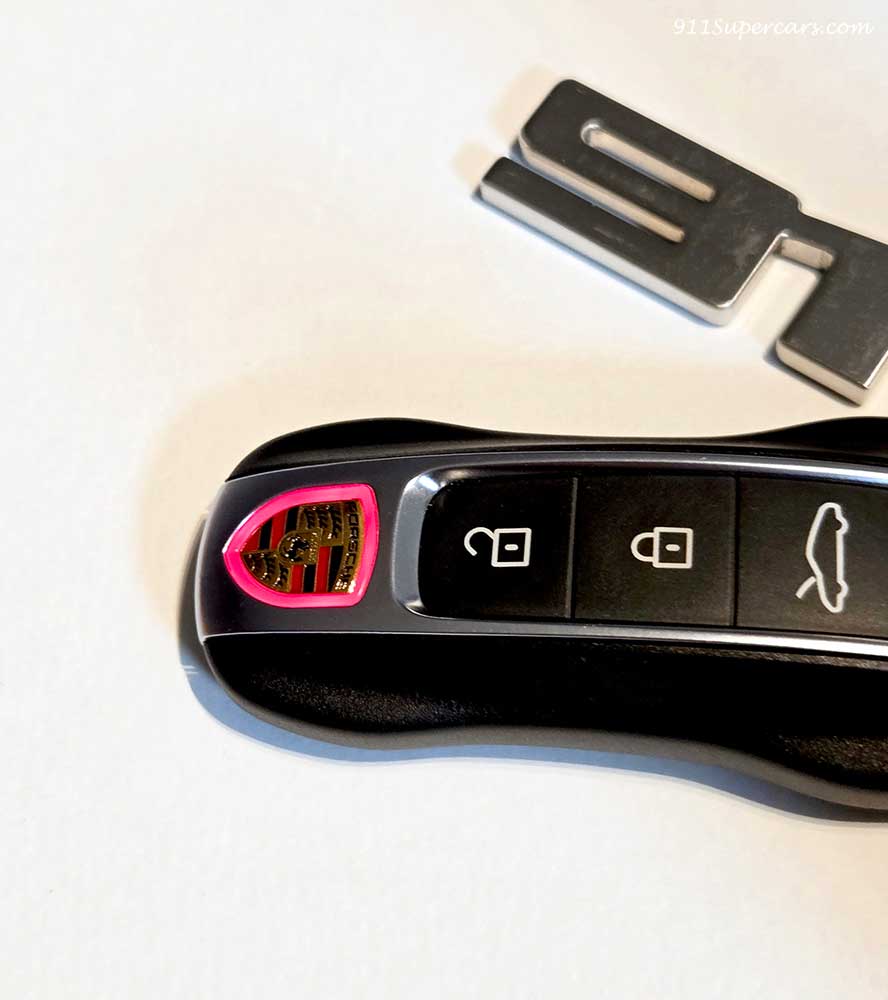
This completes the battery replacement for your Porsche 911 key.
The biggest challenge will probably be removing the emergency key, but once you get past that, it's not that difficult of a job, so I think you'll be able to replace it yourself.
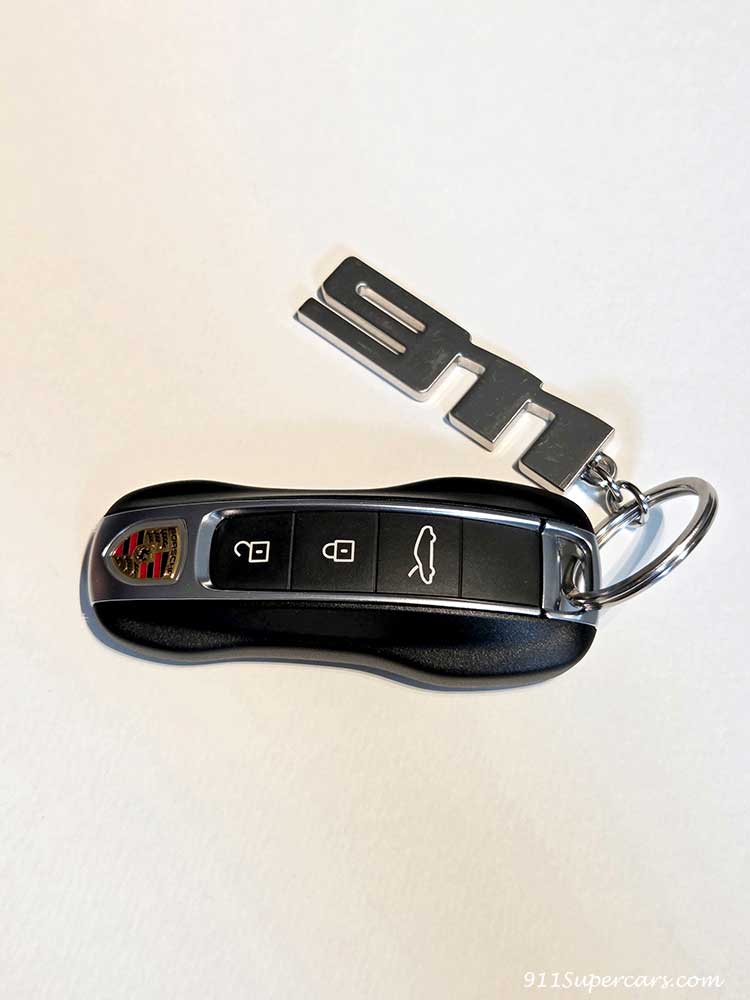
I hope this helps anyone who needs to change their battery.

I'm Rika, the author of this article. Since I got my hands on a Porsche 911, I've been completely hooked on Porsches and I can't stop loving them, so I started this blog. My favorite cars are the 911 Carrera (2/991), 911 Carrera Cabriolet & 911 Carrera T (1/992), GT3 (1/997) and 718 Cayman GT4 RS.
 English
  Japanese